
Recovery and sleep
Apple Watch sleep score: points, missing data and daily use
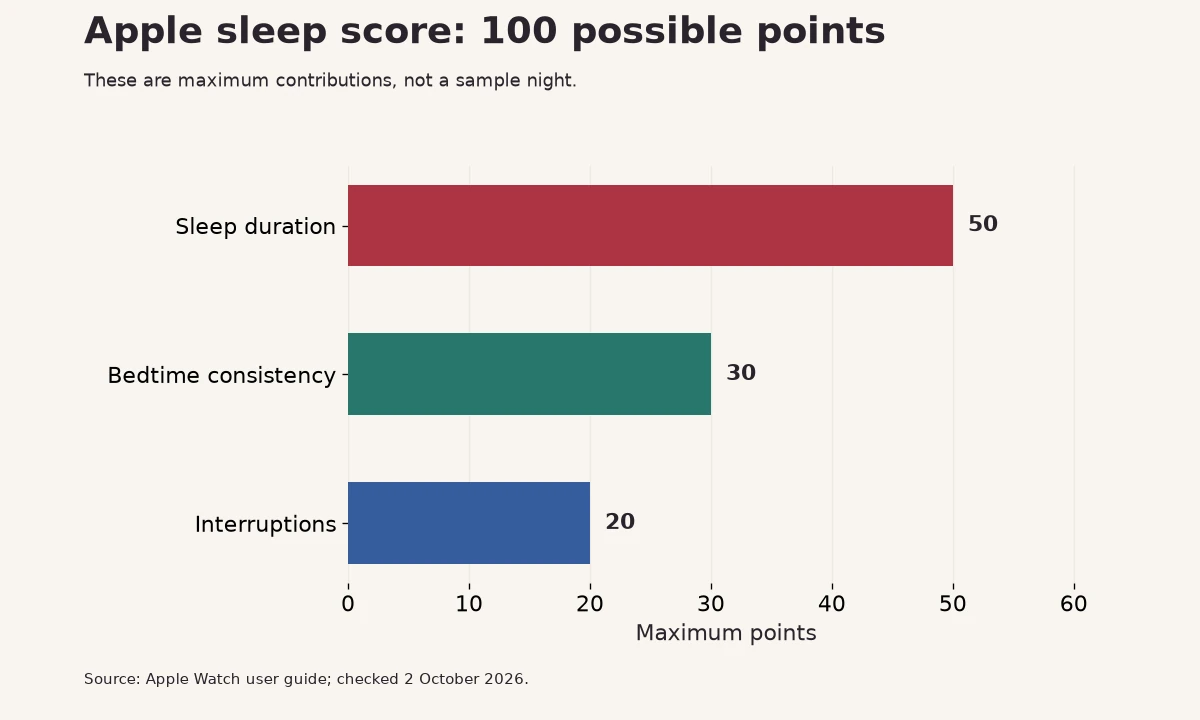
Apple’s sleep score runs from 0 to 100: sleep duration contributes up to 50 points, bedtime consistency 30, and interruptions 20.

What goes into Apple’s score
Apple describes three contributors. The breakdown helps you see why the total changed rather than treating it as a simple verdict on the night.
| Contributor | Maximum points | What Apple describes |
|---|---|---|
| Duration | 50 | Estimated time asleep |
| Bedtime consistency | 30 | Timing compared with the preceding 13 nights |
| Interruptions | 20 | Frequency and duration of awake periods |
Where to see the score
After sleep has been analyzed, open the Sleep app on Apple Watch. Tap the information control to inspect the breakdown. You can also review your recent sleep data in Health on iPhone. Check Apple’s current sleep-tracking instructions for the setup and software required by your device.
Keep your watch sufficiently charged, fit it comfortably, and confirm sleep tracking is enabled. If data is missing, first inspect the sleep record and permissions. No score is not a zero score, and typing a sleep entry is not equivalent to collecting every signal the watch uses.
How to interpret a night
Suppose your duration contributor looks strong but the total is lower than expected. Inspect consistency and interruptions before assuming the device made an arithmetic error. The three rows answer different questions; a long time in bed does not necessarily mean the same amount of estimated sleep.
A night with unfamiliar hours, travel or a disrupted routine deserves context. Keep a short note about what changed. Then compare several nights under similar circumstances rather than treating one morning’s number as a reason to overhaul your routine.
Score bands are product labels
| Apple label | Score |
|---|---|
| Very Low | 0–40 |
| Low | 41–60 |
| OK | 61–80 |
| High | 81–95 |
| Very High | 96–100 |
These labels belong to Apple’s scoring method. They are not an individual medical clearance or a requirement to reach the highest band every night. If you feel persistently unrefreshed despite reassuring numbers, consider the symptoms and seek appropriate advice.
Sleep score and readiness differ
A sleep score summarizes the night using a product’s sleep inputs. A recovery or readiness score can combine sleep with other signals and your personal baseline. A reassuring sleep total can coexist with a difficult training day, and a lower sleep total does not describe every part of recovery.
Do not convert Apple’s score to Bodyvault’s Sleep score by dividing by ten. The formulas differ. Likewise, comparisons with WHOOP, Bevel or Athlytic need each product’s explanation, not just a common numerical scale. Read what readiness scores measure for the distinction.
A useful morning review
Start with three questions: did the recording cover the night, which contributor changed, and how do you feel? If a regular bedtime is difficult because of shift work or family responsibilities, use the information to identify realistic changes rather than treating an app label as a failure.
Use your training log and warm-up alongside the night’s summary. Repeated exhaustion, significant snoring or breathing concerns are reasons to seek assessment; a consumer score cannot exclude a sleep disorder.
How Bodyvault presents sleep
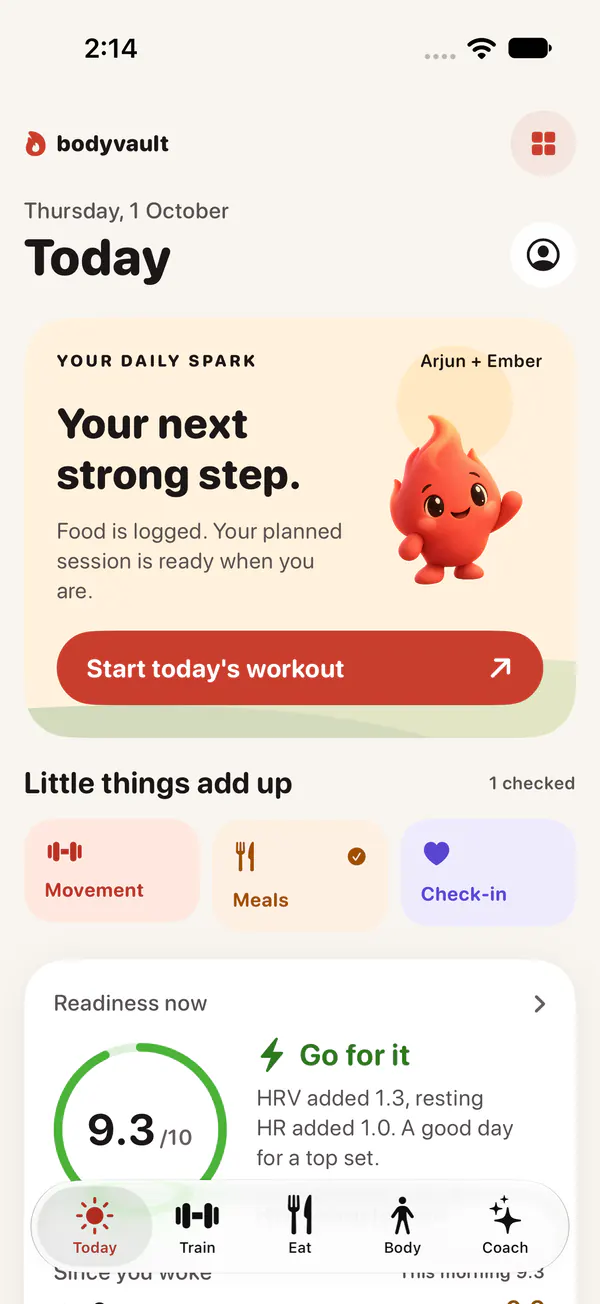
Bodyvault’s sleep and readiness views put the night beside your food and training context. Its score explanation helps you see the contributors. Keep Apple’s native score and any third-party score labelled by product when you compare them.
Questions
What is a good Apple Watch sleep score?
Apple labels 81–95 High and 96–100 Very High. These product bands do not replace your symptoms, needs or medical assessment.
Why is my score low after a long night?
Review the duration estimate, timing consistency and interruptions separately. A total alone cannot explain the cause.
Is Bodyvault’s Sleep score Apple’s score divided by ten?
No. The products use their own methods. Compare each score with its own explanation and history.
Sources
General information about fitness and nutrition, not medical advice. If you have a health condition, are pregnant or take medication, talk to your doctor before changing your diet or training.