
Recovery and sleep
Apple Watch HRV: find your readings and compare them properly
Apple Watch HRV readings need a named metric and a recording context. Check Heart Rate Variability in the iPhone Health app, then compare similar recordings with your own history.

Where to find Apple Watch HRV
On your iPhone, open Health, go to Browse or use search, and find Heart Rate Variability under Heart. Open the detail view and inspect the time range and underlying samples. Interface labels can vary with software; searching for the metric is often the easiest route.
A chart’s daily summary and one individual reading are different views of the data. Before interpreting a change, check when the sample was taken, which device supplied it, and whether the latest watch data has synced. A gap is missing data, not an HRV of zero.
SDNN and RMSSD are different metrics
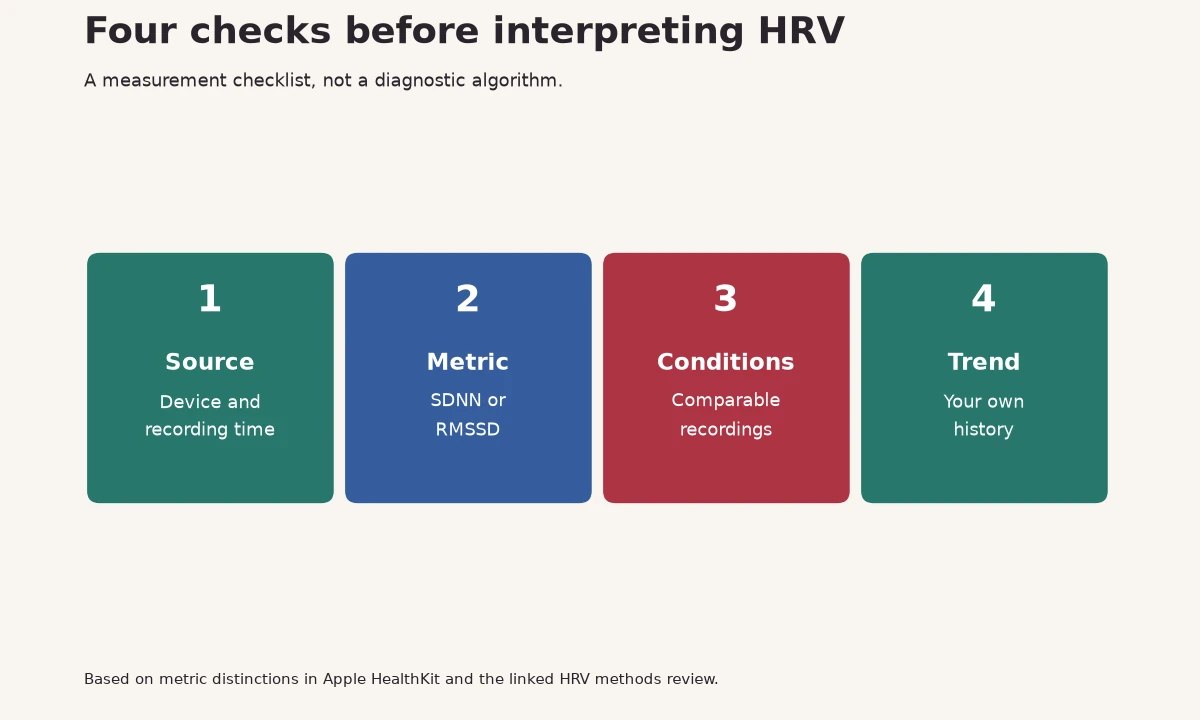
HRV describes variation in the intervals between heartbeats. HealthKit exposes SDNN, and newer Apple software also provides an RMSSD type. Both use milliseconds but calculate variability differently. Do not silently join them into one trend or assume that a screenshot from another app uses the same calculation.
| Item to check | Why it matters |
|---|---|
| Metric name | SDNN and RMSSD cannot be converted by a fixed multiplier |
| Sample duration | A brief spot sample and an overnight summary cover different time windows |
| Conditions | Movement, posture, breathing and sleep context can change the recording |
| Source | Different devices or apps may write different samples into Health |
What a low reading means
A lower-than-usual result can accompany several situations, including hard training or disrupted sleep, and recording differences can also affect it. A single value cannot tell you which explanation applies. Start with the data quality and the wider pattern rather than looking for one number that everyone should reach.
The HRV-by-age article describes study measurements and their limits. Those tables are useful background, but a short wrist recording is not interchangeable with a controlled ECG measurement. Someone else’s higher reading is not proof that their fitness or health is better.
How to make your comparisons more useful
Keep the device and measurement method stable while you build a history. If you are comparing overnight data, compare overnight data across nights. If you deliberately take a morning measurement, keep the conditions similar. Changing your breathing just to raise a number changes the test, which can make the result less helpful for training decisions.
Record the context you can actually act on: unusual training, a disrupted night or a watch that was loose. Review a run of comparable readings. Do not discard every inconvenient result or switch devices until you find a reassuring value.
Accuracy has several meanings
| Question | What a comparison needs |
|---|---|
| Does it measure intervals accurately? | A suitable reference method and a defined recording condition |
| Does the daily summary match another app? | The same metric, source samples and averaging method |
| Does it predict illness? | Clinical validation for the specific claim, not just a wearable correlation |
| Does it help my training? | Useful explanations alongside symptoms, warm-up and performance |
It is possible for an app to show a different daily number because it selected a different time window, even when both apps read Health. Before calling either value wrong, look for the metric, sample selection and baseline method.
Missing readings and permissions
Inspect the data sources in Health and confirm that your watch is paired, charged and worn as intended. Check that the recovery app has permission to read the relevant types. Reopening an app may allow fresh data to arrive, but repeatedly forcing measurements is not a substitute for checking why the expected recording is missing.
Never enable a separate health-monitoring feature solely to influence sampling without understanding its eligibility and instructions. Features can have age, region and medical restrictions; follow Apple’s guidance for the feature itself.
Use HRV as context
Bodyvault combines supported Health data with other signals and explains its Readiness score. Treat the explanation and your recent performance as more useful than a competition for a high HRV. Chest pain, fainting, fever or unusual breathlessness need appropriate medical attention regardless of the score.
Questions
Why does my Apple Watch HRV differ from another app?
Check metric, time window, source samples and the app’s summary method. Different calculations can produce different numbers from the same broad data source.
Is a low Apple Watch HRV dangerous?
The number alone cannot diagnose a problem. Review recording conditions and your own history; symptoms or persistent concerns need medical assessment.
Is Apple Watch HRV SDNN or RMSSD?
HealthKit exposes both metric types on supported software. Identify the type used in the specific reading or app instead of assuming every display uses the same metric.
Sources
General information about fitness and nutrition, not medical advice. If you have a health condition, are pregnant or take medication, talk to your doctor before changing your diet or training.